
Downsizing a home office works best when you treat papers, technology, and the work setup as three separate projects. First protect records and data, then decide what equipment supports your current work, and finally design the smaller workspace around those essentials. This order reduces rushed document disposal, lost files, incompatible technology, and furniture that does not fit.
Quick answer: Inventory your records, devices, furniture, and supplies. Identify documents and data that must be retained, back up important files, securely dispose of sensitive material, and test every device before making removal decisions. Measure the destination, choose a compact setup for your actual work, and move only what has a defined purpose and location.
What should you decide before downsizing a home office?
Start with the work the office must support now, not the room you previously had. A person who handles occasional household paperwork needs a different setup from someone who works remotely every weekday. Retired professionals may need long-term records but no longer need several monitors, reference shelves, or bulk office supplies.
Write down the office’s essential functions. They might include:
- Video calls and computer work
- Household bill and tax administration
- Secure storage for active records
- Printing or scanning
- Charging phones and other devices
- Packing products or maintaining business inventory
- Meeting clients, if permitted and appropriate
Next, measure the destination. Record wall lengths, door clearances, electrical outlet locations, and the space available for a chair. If the office will share a bedroom, living room, or hallway nook, identify how much visual and physical separation is realistic.
The household can decide which work activities continue, which possessions remain useful, and how much space the office may occupy. A practical downsizing and organizing team may discuss sorting sequences, room measurements, packing categories, and the physical arrangement of retained items. It should not make tax, legal, information-security, employment, or records-retention decisions for you.

Build a records map before touching the files
Do not begin by emptying every drawer onto the floor. That creates an intimidating paper pile and can mix sensitive records with recycling. Instead, make a records map showing where important information currently lives.
Include:
- Filing cabinets and desk drawers
- Fire-resistant boxes or safes
- Binders, notebooks, and loose folders
- Computer drives and shared folders
- External drives and memory cards
- Cloud storage accounts
- Email inboxes and archives
- Old phones, tablets, and laptops
- Online financial, medical, or government portals
Label broad groups without making final decisions yet. Useful categories include household, property, tax, medical, insurance, employment, business, legal, warranties, and personal reference material.
This inventory reveals duplication. A tax document, for example, may exist as an original paper, a scan, an email attachment, and a downloaded copy. Knowing that prevents you from discarding the only complete version or preserving four unnecessary versions.
If the office is being sorted because of a death, incapacity, or major household transition, pause before altering business and estate records. The responsible fiduciary, attorney, accountant, employer, records custodian, or other qualified professional should determine access rights and retention obligations. For a broader transition involving an entire property, read what paperwork to keep and what to throw away.
Which home-office papers should you keep?
There is no single retention schedule for every household or business. Requirements vary with the type of record, ownership, profession, tax situation, active contracts, pending claims, and applicable rules. Avoid treating an internet checklist as legal or tax authority.
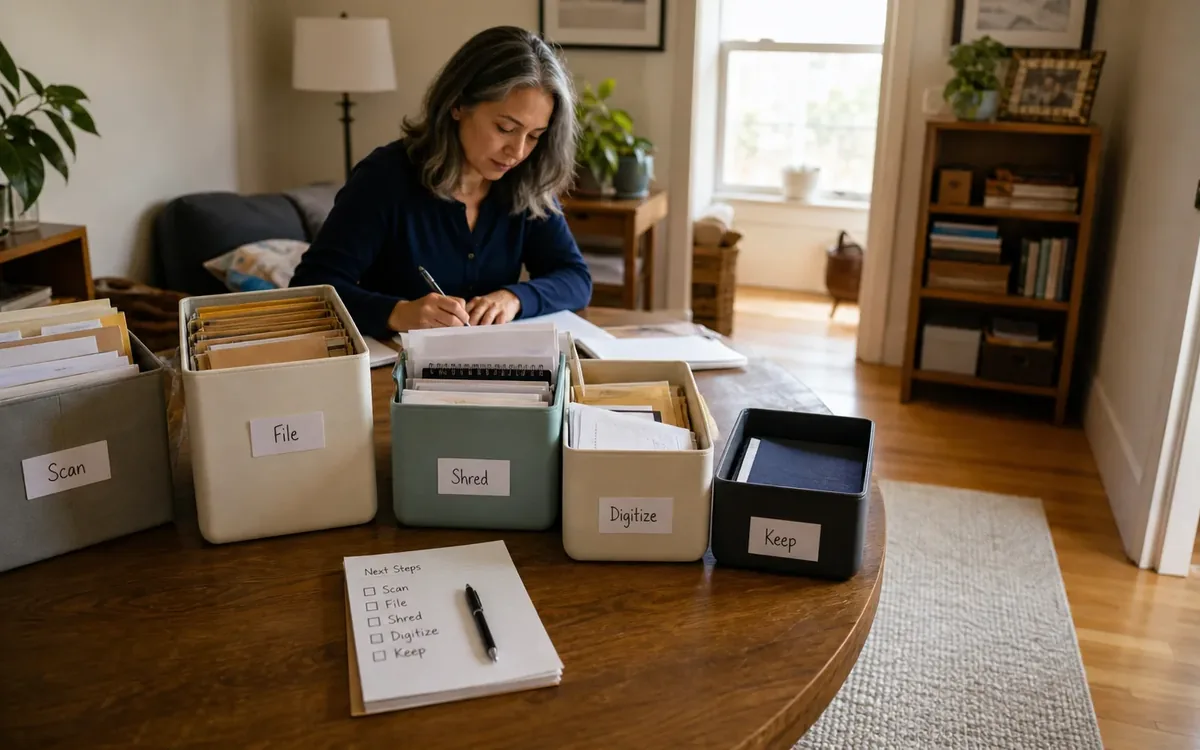
Use four temporary paper categories:
- Active: Documents needed for current work, open claims, ongoing transactions, or household administration.
- Archive pending review: Older records that may require retention but are not used regularly.
- Reference: Manuals, notes, articles, and other material kept for convenience rather than compliance.
- Possible disposal: Duplicates, expired drafts, junk mail, and material that appears to have no continuing purpose.
The household can remove obvious non-sensitive clutter such as blank forms, outdated catalogs, duplicate brochures, and dried-out stationery. For tax records, contracts, personnel files, client information, medical material, intellectual property, estate documents, and regulated professional records, consult the person or authority responsible for them.
An attorney determines legal relevance and preservation needs. A tax professional advises on tax documentation. An employer or records officer addresses workplace records. A licensed or otherwise qualified data-security provider may advise on secure destruction. A cleanout or move team can help keep approved categories separate, box archives, label containers, and move materials after the responsible person has authorized the plan.
How can you digitize papers without creating digital clutter?
Scanning can save space, but it is not the same as organizing. Hundreds of files named with scan dates are difficult to retrieve and easy to duplicate. Establish a simple system before scanning in volume.
A practical file name includes:
- Date in year-month-day format when relevant
- Sender, institution, client, or property name
- Document type
- Version or status if needed
For example, 2026-08-31_BankName_Mortgage-Statement.pdf is more useful than Scan00482.pdf.
Create a limited folder structure based on how you search. A household might use folders for taxes, property, insurance, medical, and warranties. A business may need separate structures, access controls, and formal retention practices. Do not combine confidential work files with household cloud storage merely because it is convenient.
Before destroying a scanned original:
- Open the file and confirm every page is present
- Check that text, signatures, and notes are legible
- Verify the file is stored in the correct folder
- Confirm that backups work
- Determine whether the original must be retained
- Check whether another authorized person needs access
Use strong passwords and multi-factor authentication where available. Keep at least one backup separate from the primary computer. Sensitive papers approved for destruction should not go into open recycling intact. Select a secure destruction method appropriate to the information and any governing requirements.
Reduce technology without losing data
Old technology often contains more risk than value. A laptop may no longer start but still hold a readable drive. Printers and multifunction machines may retain network settings, address books, or stored job data. Phones, tablets, external drives, memory cards, and USB devices can contain personal or business information.
Make a device inventory with these fields:
- Device and model
- Owner
- Working condition
- Power cord or adapter
- Accounts connected to it
- Data location
- Backup status
- Keep, transfer, recycle, sell, donate, or review
Test equipment before deciding. Confirm that retained computers support required software and peripherals. Check whether the monitor connections match the computer or dock. Print and scan a test page if a printer is moving. Label power supplies immediately because unidentified adapters are hard to match later.
Before any device leaves household control, back up needed information and sign out of accounts. Remove activation locks where appropriate. Follow the manufacturer’s reset process, but understand that a basic reset may not satisfy every security obligation. A qualified technology or data-destruction professional should determine the correct sanitization method for confidential, employer-owned, client, or regulated data.
Also separate ownership questions from disposal decisions. Employer equipment, leased hardware, and devices purchased by a business may have return, accounting, or compliance requirements. The household should not donate or recycle those items until the responsible organization or adviser confirms what is allowed.
Choose a smaller setup around the work
A compact office is successful when frequently used tools are easy to reach and everything else has a defined boundary. Start with the computer, chair, and primary work surface. Add storage only for records and supplies that survived the review.
Possible space-saving choices include:
- One appropriately sized monitor instead of several unused screens
- A laptop dock that reduces cable changes
- A compact scanner if paper intake remains substantial
- A small printer only when regular printing is necessary
- Vertical shelves secured and loaded appropriately
- A rolling file pedestal that fits beneath the desk
- One drawer or bin for active supplies
- A charging station with labeled cables
- Closed storage for confidential material
Do not buy organizers before measuring retained contents. Empty shelves, elaborate desktop systems, and oversized filing cabinets consume the space you are trying to recover.
Ergonomics still matters in a small area. Position the screen at a comfortable height and distance, provide enough leg clearance, and avoid stretching cords across walking paths. If you need an electrical change, wall-mounted fixture, built-in cabinetry, or structural modification, consult an appropriately qualified contractor or professional. Building, fire, accessibility, zoning, workplace, and homeowner-association requirements are determined by the applicable authority, not by an organizer or cleanout crew.
What should leave the office first?
Start with low-risk volume, not sensitive files. Removing empty packaging and unusable general supplies creates room for careful decisions without exposing confidential information.
A useful sequence is:
- Remove trash that contains no sensitive data.
- Separate ordinary recycling from confidential paper.
- Gather excess stationery and unopened supplies.
- Match cords, adapters, and accessories to devices.
- Isolate technology that may hold data.
- Review active and archived records.
- Remove furniture only after measuring the new layout.
Keep uncertain items in a clearly marked review zone. Set a deadline and identify who has authority to decide. Do not let the review zone become a permanent second office.
For items approved to leave, separate them by destination. Options may include transfer to another authorized user, sale, donation, electronics recycling, secure destruction, ordinary recycling, or disposal. Acceptance policies vary, so confirm them directly with the receiving organization or facility before transport.
Plan the move and the first week of work
Pack the office according to the order in which it must become functional. The first-open group should contain the computer, current files, chargers, essential stationery, login or setup information stored securely, and any approved network equipment.
Photograph cable connections before disconnecting them. Use labels on both ends of each cable. Keep small accessories with their device rather than in one mixed electronics box. Confidential records should remain controlled by the authorized person and should not be casually labeled with sensitive details on the outside.
A move management or cleanout team may discuss sequencing, packing categories, measurements, furniture placement, and removal routes. The household or authorized representative decides what is retained and who may access it. Technology specialists handle complex data transfer or sanitization. Legal and tax professionals address retention duties. Real-estate agents advise on market presentation, while appraisers determine value and inspectors report conditions within their professional scope.
After setup, work in the space for one week before buying more storage. Note anything that interrupts the day: poor lighting, missing chargers, files stored too far away, cable congestion, or supplies that lack a home. Adjust based on actual use rather than recreating the former office at a smaller scale.
A practical South Carolina home-office plan
For a move within South Carolina or to another state, protect papers and technology from heat, moisture, and prolonged vehicle storage. Keep critical records and data-bearing devices with an authorized person when practical. Do not leave sensitive files in an unlocked vehicle or place electronics where they can be crushed by furniture.
If downsizing the office is part of preparing a home for sale, let the responsible real-estate professional advise on presentation. An appraiser determines opinions of value, and an inspector evaluates conditions within the inspection agreement. Questions involving permits, property use, code requirements, disposal rules, or community restrictions belong with the relevant authority or qualified professional.
Clutter Cleaner of South Carolina serves households statewide and may be contacted at (843) 972-7020 to discuss an appropriate transition plan. A conversation can cover the physical sorting process, organizing categories, move coordination, and home-sale preparation within the available service scope. Decisions about confidential records, data security, legal obligations, valuation, inspections, and compliance remain with the household and responsible professionals or authorities.
Short FAQ
Should I scan every home-office document?
No. Scan records that need accessible digital copies and that you are authorized to digitize. Avoid spending time on duplicates, obsolete reference material, or papers approved for disposal. Confirm whether an original must be retained before destroying it.
Can I donate an old work computer?
Only after confirming ownership and resolving the data. Employer-owned, leased, business, or client-related devices may have return and security requirements. Back up authorized files and obtain qualified guidance on sanitization when sensitive information is involved.
How many office supplies should I keep?
Keep what fits a realistic period of use and a defined storage boundary. One active set plus a modest reserve is often easier to manage than bulk quantities spread across the room.
Should office furniture move before the records are sorted?
Usually not. Sort enough material to know how much storage remains necessary, then measure the destination. This helps prevent moving oversized desks and empty cabinets.
Who decides whether business records can be discarded?
The owner or authorized records custodian makes the decision with guidance from the appropriate attorney, accountant, employer, regulator, or other responsible professional. A cleanout or move team may organize and move approved categories but should not determine legal retention periods.