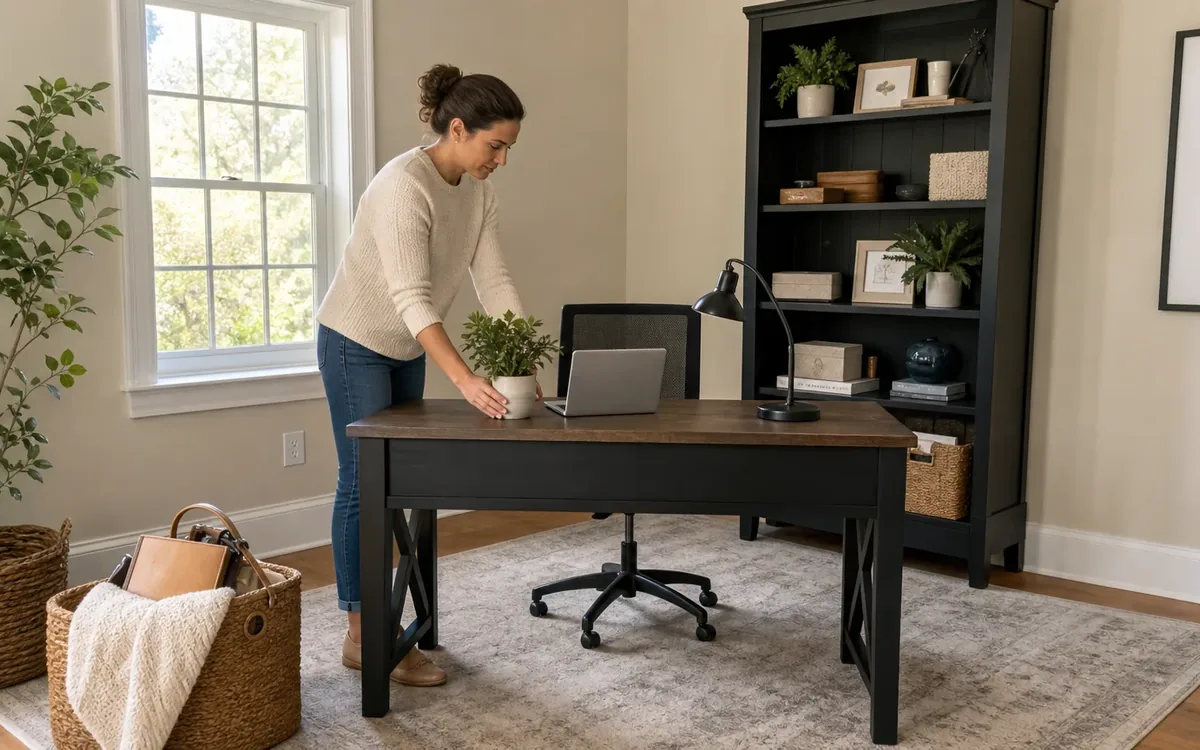
A home office is ready for listing photos when the desk looks usable, private papers are removed, cables are controlled, screens reveal no personal information, and the room’s purpose is immediately clear. Focus on what the camera sees rather than trying to redesign the entire workspace. In the Charleston area and elsewhere in South Carolina, the household can make these presentation choices while the real-estate professional directs photography and marketing decisions.
Quick answer: Clear most items from the desktop, remove confidential documents, turn off or blank every screen, simplify visible shelves, bundle loose cords, and leave only a few neutral objects that identify the room as a functional office. Photograph the room from likely camera angles before the listing appointment so overlooked clutter becomes easier to spot.
Why does a home office need special attention before photos?
A home office combines several features that can look distracting in photographs: paperwork, electronics, cables, task furniture, shipping supplies, personal records, and storage. Wide-angle listing images can make these details more noticeable, not less.
The room also carries privacy risks that do not arise in an empty bedroom. A sharp photograph may capture names on folders, appointments on a calendar, information on a monitor, labels on packages, or notes pinned to a wall. Preparing the office therefore involves both presentation and information security.
The goal is not to erase the room’s function. A completely empty desk in a bare corner may be harder for buyers to interpret than a restrained work setup. Instead, show a defined workspace with enough open surface and floor area to communicate how the room can be used.
For households addressing several rooms before marketing, home sale preparation support may provide a broader framework for sorting, organizing, and coordinating physical household tasks. The real-estate agent or photographer should still decide how the room is staged, framed, and represented in the listing.
What should stay on the desk for listing photos?
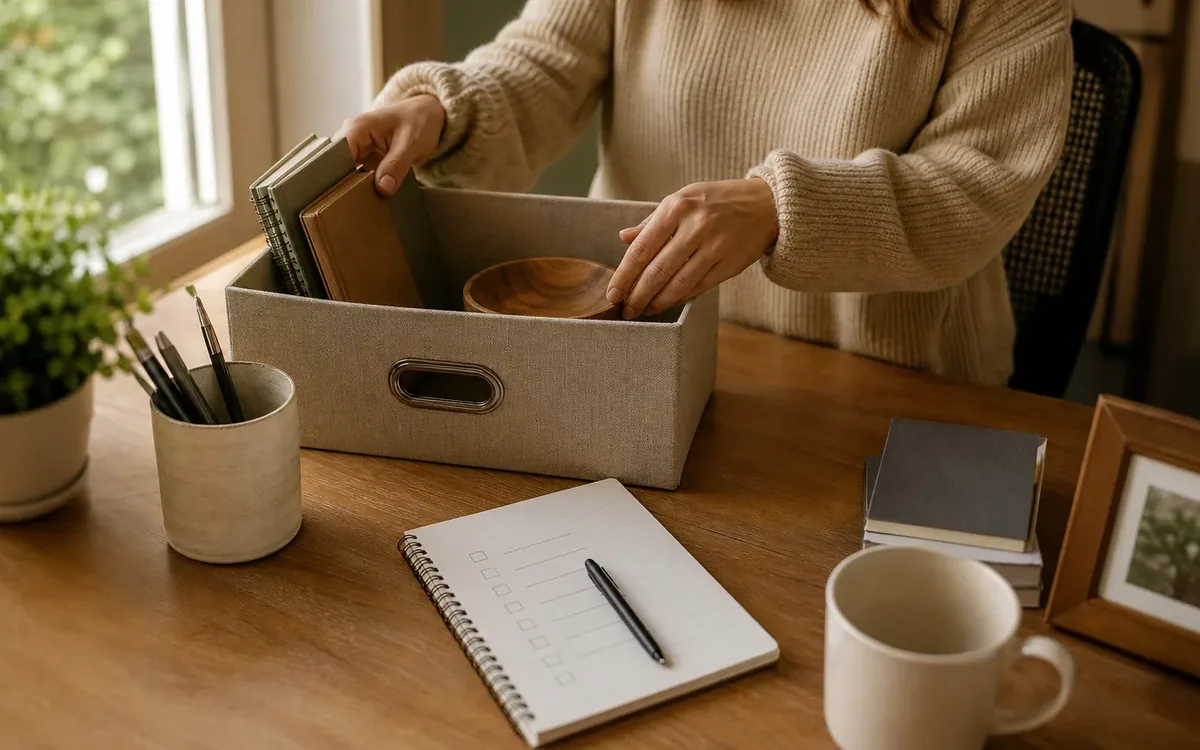
Keep only objects that clarify the desk’s purpose without identifying the occupant. A monitor, compact lamp, keyboard, and one understated accessory may be enough. The exact selection depends on the desk size and how much of it will appear in the image.
Remove these common distractions:
- Loose mail, receipts, notebooks, and sticky notes
- Medication, food, cups, and water bottles
- Multiple charging devices and spare adapters
- Personal photographs and nameplates
- Oversized printer-paper packages
- Headphones hanging awkwardly from furniture
- Stacks of work awaiting attention
- Branded promotional items
- Supplies crowded around the monitor base
Do not sweep everything into the nearest drawer without sorting it. That may create a problem during a showing if a buyer opens built-in cabinetry with permission. Portable personal furniture is different, but visible built-in storage should look reasonably orderly if the responsible real-estate professional expects it to be shown.
Use a simple test: there should be a clearly visible area where someone could sit down and work. If every part of the desk has an object on it, the surface will usually read as crowded in a photograph.
If office clutter is part of a larger household transition, the guide to how to get your house ready for listing photos explains sorting and disposition concepts. Those concepts can be adapted without turning a focused office-photo project into a full estate process.
How can cables and electronics look cleaner on camera?
Begin by deciding which electronics must remain operational through the home-selling period. A household member who works from home may need a computer, camera, microphone, printer, or docking station each day. Do not disconnect necessary equipment merely to imitate an unused office.
Instead, improve the visible cable path. Follow each cord from device to outlet and remove anything that is no longer connected or needed. Separate power cords from unrelated paper and supplies. Coil excess length without creating tight bends that could damage a cable.
Useful household-controlled options include:
- Positioning a power strip behind or beneath the desk
- Grouping cords that follow the same safe route
- Removing obsolete chargers after confirming ownership
- Moving a printer closer to its power source if practical
- Placing small adapters together in a labeled container
- Replacing visibly tangled temporary setups with a simpler arrangement
Never block vents or place power equipment where it may overheat. Do not run cords beneath rugs, through doorways, or across walking paths merely to hide them. Questions about outlets, damaged wiring, extension-cord use, or permanent electrical changes belong with a qualified electrician or other appropriate professional.
A cleanout or move team may discuss which disconnected equipment the household wants to keep, move, donate, sell, recycle, or discard. The household must authorize those decisions. Data destruction, electronics recycling requirements, wiring work, and disposal compliance may require separate providers or guidance from the appropriate authority.
Protect papers, screens, and personal information
Listing photographs can circulate widely. Treat anything legible in the room as potentially public, even if it seems small from across the room.
Use this four-part privacy review:
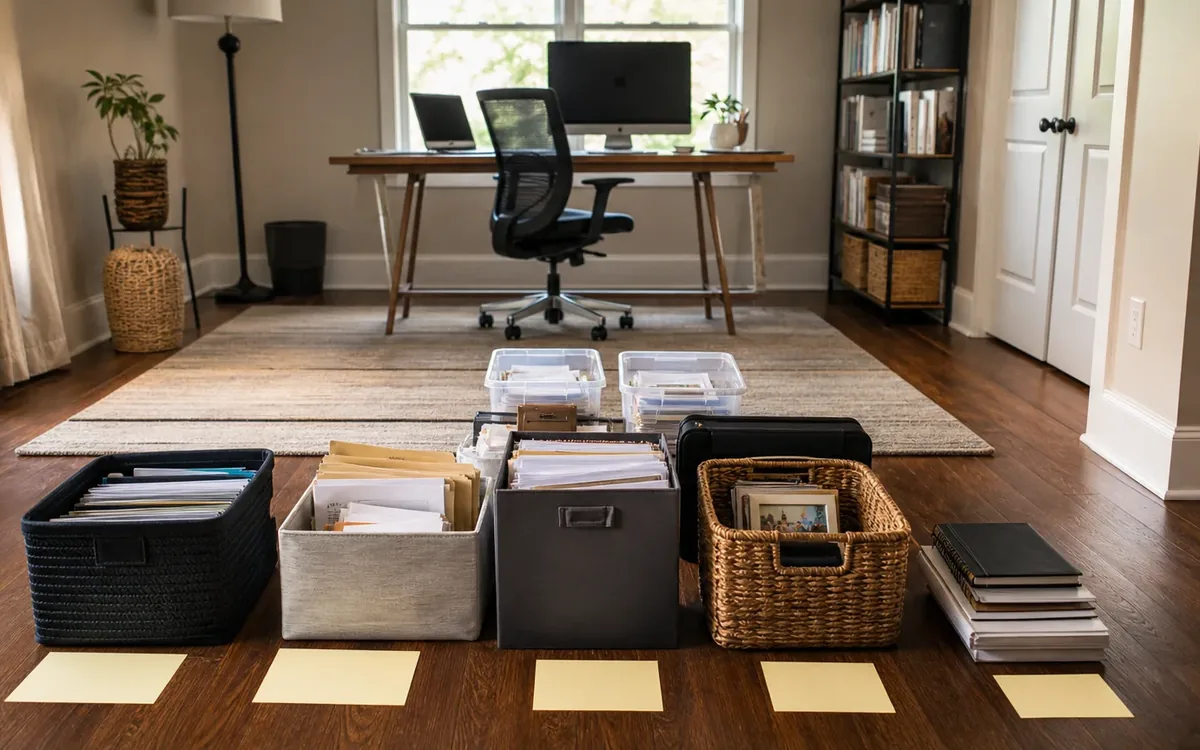
- Collect exposed papers. Gather bills, client files, school records, tax material, prescription information, passwords, and correspondence. Sort them into keep, action, shred, and uncertain groups rather than making rushed disposal decisions.
- Review vertical surfaces. Remove calendars, whiteboard notes, bulletin-board items, certificates with identifying details, children’s schedules, and address labels. Check what is reflected in framed glass.
- Secure screens. Close programs, sign out where appropriate, disable visible notifications, and use a blank or neutral display. Turning a monitor off is often the clearest option.
- Inspect from the doorway. Use a phone camera to zoom into the room. Look for names, numbers, labels, QR codes, open notebooks, and reflected information that were easy to miss in person.
Paper disposal deserves care. The household should determine what records it may discard and what it needs to retain. An attorney, accountant, employer, records custodian, or government authority should answer legal or professional retention questions. A cleanout team should not make those decisions for the owner.
If shredding is selected, determine whether a separate document-destruction provider is appropriate. If records belong to an employer, business, client, estate, trust, or another person, obtain direction from the responsible party before moving or destroying them.
How should shelves and office storage be edited?
Shelves often occupy a large portion of the photograph, so their visual impact may matter more than one small item on the desk. The aim is to reduce visual noise while preserving a believable workspace.
Start with categories rather than individual objects. Group books together, place like supplies together, and remove unrelated household overflow. A shelf containing office materials is easier to understand than one mixing binders, holiday decorations, tools, toys, and unopened packages.
Consider removing:
- Bulging folders and leaning paper stacks
- Empty binders or duplicate office supplies
- Shipping boxes and packing material
- Highly personal collections
- Political, medical, or financial material
- Damaged containers
- Objects that partially obstruct windows
- Items balanced on top of cabinets
Leave some open space between groups. This does not require a rigid styling formula. The purpose is to make each shelf read as intentional instead of full by default.
Storage outside the property is a household choice, not an automatic requirement. Compare the effort of off-site storage with careful consolidation elsewhere in the home. If rented storage is considered, the household should review access, insurance, contract, security, climate, and payment terms directly with the storage provider.
A move or organizing team may discuss packing methods, labels, room destinations, and which authorized items are to be relocated. It should not decide ownership, discard uncertain records, appraise valuables, or promise what a separate storage provider will accept.
Make the room’s function obvious without over-staging
Some home offices share space with a guest room, dining area, loft, or bedroom. Listing photos should not create confusion about the primary use of the room. Decide which function matters most, then reduce evidence of competing uses.
For an office-first presentation, keep the desk and suitable chair visually connected. Remove exercise equipment, drying racks, hobby projects, and general household overflow when feasible. If a guest bed remains, make both zones orderly rather than forcing the room to pretend it has only one purpose.
Avoid adding décor solely to fill every blank wall. A restrained room often photographs more clearly than one filled with newly purchased accessories. Use objects already owned when they are neutral, appropriately scaled, and in good condition.
Check these visual relationships:
- The chair fits beneath or near the desk
- Cabinet doors and drawers close fully
- Window coverings hang evenly
- Furniture does not conceal obvious room features
- Waste and recycling bins are out of the main view
- Lampshades, frames, and monitor edges appear straight
- Walking routes are open and safe
A real-estate agent or staging professional should determine whether furniture should be removed, repositioned, or introduced for the target market. The photographer decides lens position, exposure, lighting technique, and final framing. The household can communicate work requirements so staging decisions do not make the office unusable between photography and the move.
Use the likely camera angles before the appointment
Standing in the middle of the office does not show what the listing camera will capture. Begin at the doorway, then look from corners that reveal the desk, window, and room depth. Take test photographs at approximately chest height without applying dramatic filters.
Review each test image for:
- Cables visible beneath the desk
- Papers peeking from trays or open cabinets
- Fingerprints and dust on dark screens
- Reflections showing people or adjoining clutter
- Items stored behind the door
- Crowded windowsills
- Uneven chair placement
- Supplies visible beneath furniture
- Personal data enlarged by the camera
Open blinds, shades, or curtains only as directed for the photography plan and if they operate safely. Clean the window glass and sill if they are prominent, but do not attempt risky access or repairs. A damaged blind, stuck window, loose fixture, or electrical problem may call for an appropriate contractor.
Contractor work should remain separate from decluttering. The homeowner or authorized decision-maker chooses whether to seek repairs. A qualified inspector or contractor evaluates condition and scope. Permit, code, and compliance questions belong with the relevant South Carolina or local authority, not a photographer, organizer, or cleanout crew.
Separate household choices from professional decisions
Preparing an office for photographs involves several different roles. Keeping them separate reduces rushed decisions and prevents presentation work from being mistaken for professional advice.
The household or authorized representative can decide:
- Which personal objects to pack
- Which necessary equipment must remain available
- Whether ordinary possessions are kept, donated, sold, recycled, or discarded
- Whether off-site storage fits the household’s needs
- Who may handle documents and electronics
- How much disruption is manageable during the sale
A practical cleanout, organizing, or move team may discuss:
- Sorting zones and labels
- Physical packing sequences
- Furniture or box destinations authorized by the household
- Ways to reduce visible clutter
- Coordination questions involving separately hired providers
- Items that need owner review before handling
Other decisions belong elsewhere. A licensed real-estate professional determines listing strategy and advises on market presentation. A photographer controls the photographic process. A qualified appraiser determines value when a formal appraisal is needed. Inspectors and contractors assess property conditions within their respective roles. Attorneys address ownership, estate authority, contracts, and legal obligations. Government agencies or other responsible authorities determine applicable compliance requirements.
Do not dispose of an object because it seems inexpensive. Signed documents, collectibles, business property, artwork, equipment, and inherited items may require owner review or a qualified appraisal. An estate-sale or auction discussion is also distinct from a formal appraisal and does not replace legal direction about who may sell property.
A focused final pass for photo day
The last review should protect the work already completed rather than trigger another broad reorganization. Concentrate on surfaces and sightlines that can change during normal use.
Before the room is photographed:
- Remove the current day’s mug, mail, and notes
- Blank or turn off displays
- Close drawers, cabinet doors, and closet doors as directed
- Place the chair neatly at the desk
- Put necessary chargers into the planned cable route
- Remove trash and shredding awaiting disposal
- Check the floor around and beneath the desk
- Confirm that private documents remain secured
- Take one final doorway photograph
Keep a small, labeled container available for work items that must be removed temporarily. After photography, those items can return to service without undoing the broader setup. Avoid an unmarked box, which can be mistaken for donation, disposal, or moving inventory.
FAQ
Should the computer monitor be removed?
Usually, it can remain if it helps identify the room as an office and does not overwhelm the desk. Turn it off or use a blank, neutral display. Remove extra monitors if they crowd the surface and are not needed for ongoing work.
Can paperwork go into a closet for the photos?
Only if it is secured, organized, and permitted there by the household. Do not hide loose confidential papers where they may be exposed during a showing. Records with legal, business, estate, or retention concerns need review by the responsible person or professional.
Should family photographs and diplomas come down?
Personal photographs are commonly removed to reduce distraction and protect privacy. Diplomas or certificates may reveal names and institutions, so review them carefully. The listing agent or staging professional can advise on the presentation choice.
Who decides whether office furniture should be sold or stored?
The owner or authorized representative decides. A real-estate or staging professional may discuss presentation, while a move or cleanout team may discuss physical handling. Storage contracts, sales methods, appraisal needs, and legal authority remain separate decisions.
What if the office has damage or a compliance issue?
Do not conceal it for photographs. Ask the appropriate inspector, contractor, real-estate professional, attorney, insurer, or government authority for guidance based on the issue. Presentation assistance does not determine legal compliance or replace an inspection.
Does Clutter Cleaner of South Carolina only work around Charleston?
Clutter Cleaner of South Carolina has its physical business location in Mount Pleasant, serves Charleston as its primary market, and has an approved statewide service territory covering South Carolina. Availability and project scope should be confirmed directly at (843) 972-7020.