For occupied homes in Greer, SC, robot vacuum prep means pausing cleaning cycles before tours. Keep the robot parked and its dock clear of walking paths. Check cords, empty bins, and restore settings after visits. This keeps your normal cleaning routine intact while buyers walk through the home.
Quick answer: Confirm the Greer showing window with your agent. Name one household account owner to coordinate schedule decisions. Record where the robot and its supplies belong, plus any buyer access or photo concerns. Refer specific handling methods to the exact model’s manufacturer or provider. Update your notes after the visit.
Occupied homes still need daily care during a sale. The goal is a calm tour, not a hidden cleaning system. A small plan can prevent noise, wet floors, and unexpected movement. It can also spare you from rebuilding the robot’s map after each visit.
What should robot vacuum prep cover before a showing?
Use home sale preparation support to discuss visitor routes and room access. The home transition resource library offers broader planning help for household changes. For the robot, record its model, visible accessories, current location, and cleaning supplies. This inventory gives the owner and providers a shared reference before each booked visit.
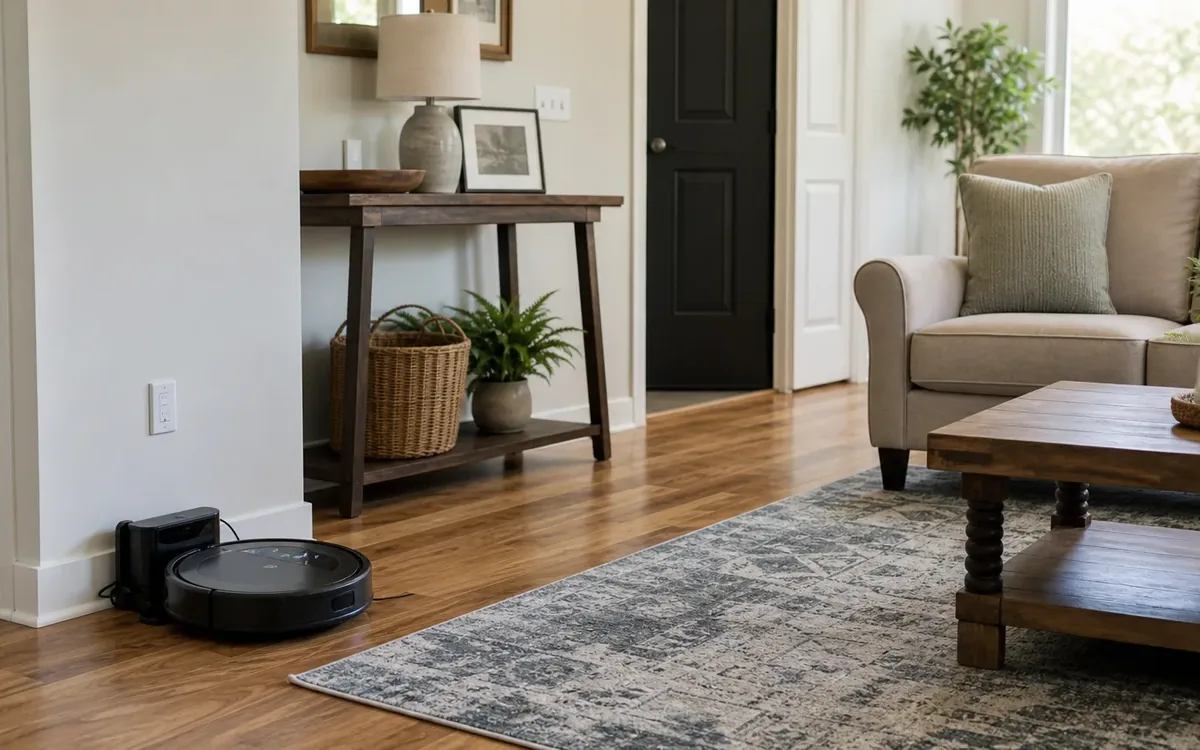
Start with the route buyers will take through the house. Walk from the entry to each room they may view. Look at the floor from standing height, rather than the robot’s view. A low dock may be easy to miss near a doorway.
Your robot may have several ways to start a run. These can include a schedule, app command, voice command, or home routine. Some models resume work after charging. Check your own manual and app instead of assuming one pause stops everything.
A mop feature needs extra care before visitors arrive. Finish any wet cleaning before the tour. Check that floors are dry, especially on smooth surfaces. Don’t leave a damp pad on a floor unless the maker permits it.
Use this short task list before leaving:
- Pause cleaning schedules that could overlap with the planned buyer visit.
- Check voice commands and home routines that can start the robot.
- Confirm that the robot is parked and no cleaning task remains active.
- Inspect the dock cord for loops across doors or walking paths.
- Remove loose pads, brushes, and refill bottles from the tour route.
Give one household member the final check. Shared duties work best when one person confirms the result. Otherwise, someone may restart a cycle while another person prepares to leave.
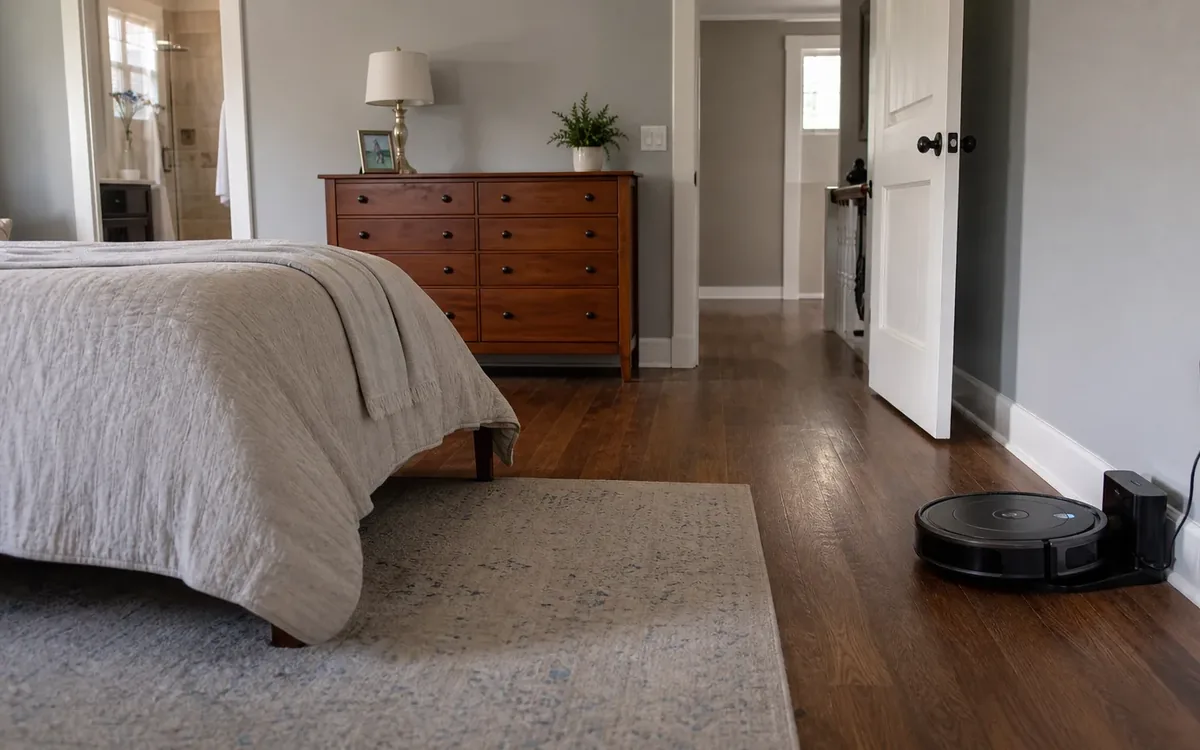
Where should the dock stay during buyer visits?
The home sale preparation service can help clarify room access and showing arrangements. The guide to how estate cleanouts work explains a separate process for larger household changes. Record the dock’s current location and photograph the surrounding walking route. Flag access concerns for planning without asking helpers to relocate or assess equipment.
A dock does not need to vanish from every photo or tour. In an occupied home, buyers may see useful everyday items. The stronger concern is safe access and a room that feels easy to use. A tidy dock against a wall may meet both needs.
Review the showing plan with your agent before choosing what stays visible. Note whether the robot station appears in listing photos or limits buyer access to a room. Record any proposed location change for the household. Ask the exact model’s manufacturer or provider about the handling method.
Make a short inventory of spare supplies and note where each item belongs. Agree with the household on which items should appear in listing photos. Give the agent a clear record of any storage areas that remain private. Refer questions about product handling to the exact model’s manufacturer or provider.
If the station affects a planned tour route, flag that concern for your agent before the visit. Agree on which rooms and storage areas buyers may enter. Name the household member who will coordinate any requested change. The exact model’s manufacturer or provider should supply the specific handling method.
Record any agreed location change in the household’s showing notes. Include the date, the person responsible, and the next buyer visit. Assign one account owner to manage schedule decisions so family members do not make conflicting plans. Send questions about model settings or handling to the exact manufacturer or provider.
How do you pause cleaning without losing your routine?
Use home sale preparation planning for tour readiness beyond the robot and its accessories. The home transition guides can help place showing arrangements within a wider household plan. Record the appointment window, equipment location, and person responsible for owner decisions. Include a follow-up time to review the inventory and any questions raised during the visit.
Take a screenshot of the schedule before changing it. Record room order, mop settings, and any saved no-go zones. You may not need those notes, but they make recovery simpler. Avoid a factory reset unless the maker directs you to use one.
A pause button may stop the current run without changing tomorrow’s schedule. A schedule switch may leave a linked home routine active. Read the labels in your app and check each start source. If you share app access, tell other users about the showing plan.
Use these five steps as a repeatable routine:
- Check the booked visit and choose a cleaning slot that ends beforehand.
- Let the robot finish, then confirm that the floors are dry.
- Pause the relevant schedules and linked start routines in their own controls.
- Check the parked robot, dock cord, and floor route before leaving.
- After the visit, inspect the area and restore the settings you recorded.
Avoid restarting a run based only on the planned end time. A tour could still be taking place. Confirm that visitors have left through your agreed showing process. Then start cleaning when it suits your household.
For several visits, you may prefer manual starts between them. That is a household choice, not a required sale step. Keep the plan simple enough for everyone to follow. A brief note near your own departure checklist can help.
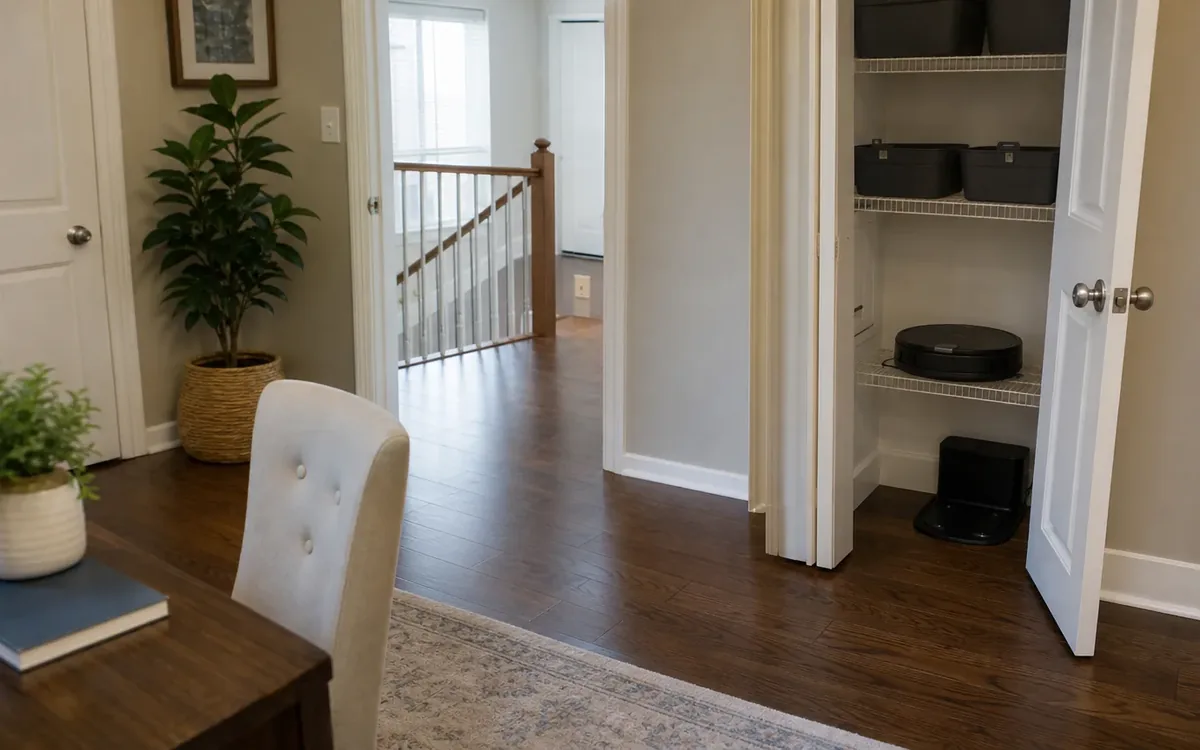
Keep robot noise, supplies, and private settings out of tours
Discuss visual clutter through home sale preparation support, and use the estate cleanout planning guide for larger sorting needs. For routine tours, record equipment locations, loose supplies, and items with private information. Identify existing storage space for supplies without covering access points or changing equipment arrangements.
A parked robot may still make noise at its base. Some stations empty debris, wash pads, or dry them after a run. Check which tasks your model performs and when they occur. Finish those tasks before the tour, or pause them as the manual allows.
Before photos or a showing, list the robot supplies that visitors may see. Note which belong to the household and which belong to a service provider. Share photo concerns with your agent, including visible labels or account details. Assign any product care request to the exact model’s manufacturer or provider.
Store small items together so they are easy to find later:
- Place spare brushes and filters in a closed bin outside the tour route.
- Keep cleaning liquids in their labeled containers and stored as directed.
- Put used pads where they can be handled without wetting the floor.
- Keep the robot’s remote out of reach during the buyer visit.
Some robots use cameras, maps, or linked home accounts. Check the product’s privacy settings before buyer visits. Don’t assume that every model records video or stores the same data. Avoid leaving an unlocked phone or tablet open to the robot app.
If a visitor asks about the robot, your agent can explain its status. The home tour does not need a live cleaning demo. A demo may add noise or movement at the wrong moment. Keep product manuals available for your own use, away from counters buyers will view.
Set clear roles for the household and outside help
The home sale preparation service is a place to discuss room readiness and visitor access. The guide to estate cleanout steps covers a separate scope of household work. Assign inventory records to the owner and confirm each helper’s responsibilities. Include arrival times, room access, and the contact for unresolved equipment questions.
The household can choose when to run the robot and where supplies go. It can decide who checks the app and restores the schedule. Renters or shared households may need the owner’s consent for other changes. Don’t drill mounts or alter power setups as a quick staging fix.
A practical cleanout or move team may discuss access, packing, and sorting. Ask about handling the robot, tanks, dock, and cords before work begins. Share the manual and point out fragile parts. App access and connected devices need a separate discussion, rather than an assumption.
Clutter Cleaner of South Carolina lists home sale preparation among its services. Its service territory covers all of South Carolina. Its physical business location is Mount Pleasant, SC, with Charleston as its primary market. A Greer household can ask about its needs without assuming local office presence.
Keep separate work with the right provider. Storage is a household choice or a separate provider arrangement. Electrical changes belong with a qualified contractor. Disposal choices depend on the item and local rules. A cleanout discussion does not replace those checks.
Your real estate professional should address listing terms and questions about included equipment. Appraisers provide value opinions, while inspectors evaluate conditions within their agreed scope. Legal and compliance decisions remain with the responsible professional or authority. Record reported outlet or floor concerns for that discussion; changing a dock’s location does not resolve them.
Plan the reset and any later move separately
Use home sale preparation help to separate showing plans from equipment transfer. The estate cleanout guide provides a sorting framework for belongings leaving the property. After each showing, confirm that the household inventory matches your records. Record packing arrangements, account responsibilities, and the intended recipient in a separate handoff plan.
Walk the route before starting the robot again. Doors may be open, chairs may have shifted, or small items may be on the floor. Check for cords, dropped objects, and damp spots. Make sure pets are safely settled before normal cleaning resumes.
After the visit, update the showing calendar and record any changes to the household’s plan. Have the named account owner review schedule decisions against the next appointment. Note any unresolved location or access concerns for your agent. Refer product questions to the exact model’s manufacturer or provider for follow-up.
Keep the robot’s ownership clear as the sale moves forward. Don’t rely on its position in the home to convey your intent. Ask your real estate professional how to address included or excluded items. Contract questions belong with the appropriate professional, not a staging helper.
If the robot will move with you, record it in your moving inventory. List its related items, model name, and proof of purchase. Confirm with your agent whether it is excluded from the sale. Assign the transport handoff to a named person, with handling details from the exact manufacturer or provider.
If another person will receive it, review the maker’s transfer instructions. Remove personal account access and stored data as directed. Decide who will set it up at the next home. The aim is a clean handoff, not a rushed reset before buyers arrive.
FAQ
Should I unplug the dock for every showing?
You can plan the showing window, name the account owner, and record any access concerns without choosing a product handling method. Share those notes with your agent before buyers arrive. For a decision about this specific unit, ask the exact model’s manufacturer or provider and record their guidance for the household.
Can I hide the robot in a closet?
You can list a closet as a proposed location in your showing plan, then ask the exact model’s manufacturer or provider about the handling method. Record who owns that decision and whether buyers may open the closet. Tell your agent about any photo or storage access concerns before the appointment.
What if a buyer visit changes at short notice?
Use the same brief check each time. Stop the active run through the proper control, then confirm the robot has stopped. Check for wet floors and clear the route. Leave cleaning paused until the visit ends. Tell your agent if a floor still needs to dry before people enter.
Do I need to delete the robot’s map?
Usually, showing prep can focus on pausing starts and securing app access. Map deletion is a separate choice based on your device and privacy needs. Check the maker’s guidance before changing stored data. If you later transfer the robot, follow its account removal and reset instructions at that point.
Should a move team change the app settings?
Keep account decisions with the owner unless responsibilities are expressly agreed otherwise. Ask the provider to confirm packaging arrangements and which accessories appear on its inventory. Record the recipient, collection date, and unresolved questions without sharing passwords. The model-specific manufacturer or qualified provider decides handling methods; the household supplies records rather than technical instructions.